Product recommendations help customers find more items they might like. But sometimes this feature stops working. If your product recommendations show for a second and then disappear, this guide will help you fix it.
We will cover simple steps to find the problem. You will learn how to check your theme settings and look at your code. Let’s get your recommendations showing again for good.
Why are my product recommendations not showing?
This problem usually happens for a few common reasons. Your theme might have a setting turned off. There could be a small error in your theme’s code. Or a recent update might have caused a conflict.
The good news is that you can often fix this yourself without hiring a developer.
How to check your theme settings
First, make sure the feature is actually enabled in your theme editor.
- From your Shopify admin, go to Online Store > Themes.
- Find your current theme and click Customize.
- Navigate to your product page template.
- Look for a section called “Product recommendations” or something similar.
- Check that this section is added to the template and that the toggle is switched on.
Sometimes, the section is there but not enabled for all product templates. Make sure you check the correct template.
How to find problems in your theme code
If your settings look correct, the issue might be in the code. A JavaScript error can cause recommendations to load and then vanish.
You can check for these errors yourself.
- On your product page, right-click and select Inspect.
- Click on the Console tab.
- Refresh the page.
- Look for any red error messages in the console.
These errors will tell you what part of the code is broken. You might see an error related to product-recommendations.js or another theme file.
How to fix common code errors
A frequent cause is a conflict with other custom code or a third-party app. If you are comfortable editing code, you can investigate further.
The main file for recommendations is often called product-recommendations.liquid or product-recommendations.js. You need to make sure this file exists and does not have any typos or broken code.
If you found an error in the console, searching for that exact error online can lead you to a solution. Many coding problems are common and have published fixes.
What to do if you are not a developer
Do not worry if you are not comfortable editing code. You have two great options.
First, contact Shopify Support directly. They can often help you diagnose the issue for free.
Second, reach out to the developer of your theme. They have seen this problem before and can provide a fix or an updated theme file.
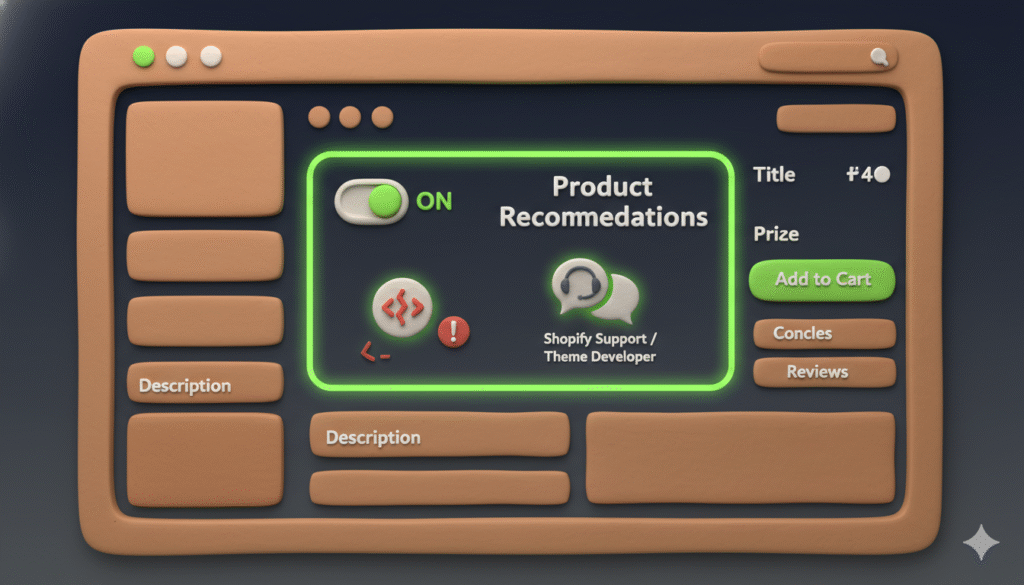
Summary of steps to fix disappearing recommendations
Here is a quick list of what to do:
- Check your theme customizer to enable the recommendations section.
- Use your browser’s inspect tool to look for console errors.
- Contact Shopify Support or your theme developer for help.